










Test Your iOS App Online on Real Devices
Looking to grow your iOS coverage without adding more device overhead, workflow complexity, or debugging effort to every release? TestGrid brings iOS testing into one place, helping you reduce device lab maintenance, keep quality checks consistent, and give your team greater control over each test cycle.


Choose How You Want to Test Your iOS App Online
TestGrid gives you three ways to approach application testing:
Request Free TrialManual testing
Perform iOS device testing to reproduce user journeys on a remote iPhone when you need direct control over interactions and device-specific behavior.
Scriptless testing
Create test cases with Record & Play or AI-assisted authoring, then use AutoHeal to reduce maintenance when application elements change.
Appium or XCUITest
Reuse your existing automation suites across the device and OS combinations in your test scope instead of maintaining a separate setup.
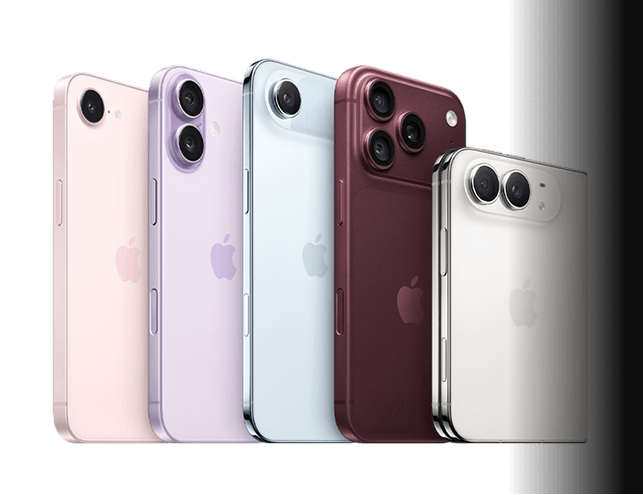
Test iOS App on iPhone Models and iOS Versions
With TestGrid, you can run native, hybrid, and cross-platform applications across selected iPhone models, iOS releases, and screen sizes. Use the same test suite across multiple device and OS combinations when your iOS mobile app testing needs broader compatibility coverage.
Exercise Hardware-Dependent App Flows
TestGrid gives you controls for biometric authentication, camera input, image injection, GPS, and network conditions when you need to test your iOS app on real device hardware. Apply profiles such as 2G, 3G, 4G, unstable Wi-Fi, and airplane mode when the application path depends on connectivity or location.
Request Free Trial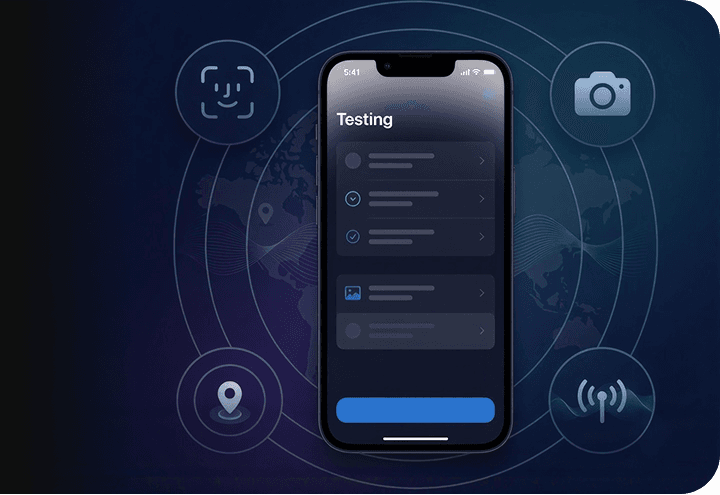
Analyze iOS Test Outcomes
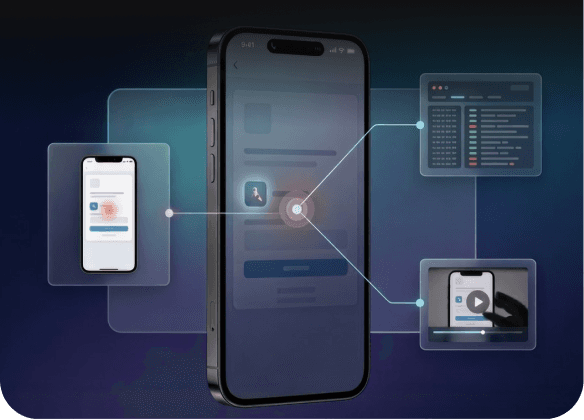
Use Appium Inspector to examine application elements where relevant. With TestGrid, you can capture logs, crash reports, screenshots, and video playback around the failed interaction, helping you trace the affected step and determine where application behavior changed.
Spot Runtime and Screen Regressions
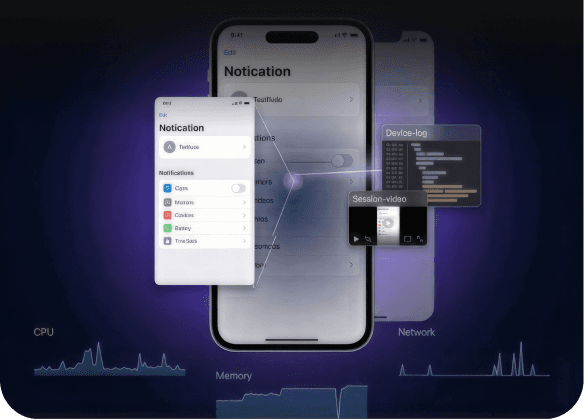
Identify performance or visual issues on TestGrid by checking CPU usage, memory consumption, battery impact, network activity, and UI response times. Also, compare baseline and updated screenshots when you also need to investigate interface changes across device or OS configurations.
Frequently Asked Questions (FAQs)
Do I need to provision an IPA before installing it on a TestGrid iPhone?

Yes. For iOS testing on TestGrid devices, the IPA must be provisioned with the UDID of the target iPhone. You can retrieve the UDID from TestGrid, register the device in the Apple Developer Portal, update the provisioning profile, and generate the signed IPA for installation.
Do I need to provision an IPA before installing it on a TestGrid iPhone?
Yes. For iOS testing on TestGrid devices, the IPA must be provisioned with the UDID of the target iPhone. You can retrieve the UDID from TestGrid, register the device in the Apple Developer Portal, update the provisioning profile, and generate the signed IPA for installation.
Why might an IPA fail to install on an iPhone?
Common causes include an invalid IPA, an incompatible iOS version, incorrect bundle configuration, an expired signing certificate, a missing provisioning profile, or compatibility problems with the selected phone. TestGrid recommends confirming that the IPA is correctly signed and can be installed on the target device type.
Why might an IPA fail to install on an iPhone?
Common causes include an invalid IPA, an incompatible iOS version, incorrect bundle configuration, an expired signing certificate, a missing provisioning profile, or compatibility problems with the selected phone. TestGrid recommends confirming that the IPA is correctly signed and can be installed on the target device type.
Can I reuse an IPA for repeated tests?
Yes. TestGrid lets you use a previously uploaded IPA without reinstalling it for every run. When the scenario requires a clean application state, you can remove the previous installation and reinstall the IPA before continuing.
Can I reuse an IPA for repeated tests?
Yes. TestGrid lets you use a previously uploaded IPA without reinstalling it for every run. When the scenario requires a clean application state, you can remove the previous installation and reinstall the IPA before continuing.
How should I plan iOS device testing across iPhone configurations?
Map each important scenario to the iPhone models, iOS versions, screen sizes, and device conditions relevant to the release. For iPhone app testing, an iPhone test app matrix can separate manual and automated coverage while keeping the core user path consistent across selected targets.
How should I plan iOS device testing across iPhone configurations?
Map each important scenario to the iPhone models, iOS versions, screen sizes, and device conditions relevant to the release. For iPhone app testing, an iPhone test app matrix can separate manual and automated coverage while keeping the core user path consistent across selected targets.
Can iOS tests run in MDM- or VPN-enabled environments?
Yes. TestGrid provides MDM-enabled mobile testing and VPN-enabled environments for teams that need additional control over how applications are tested, including organizations working with regulated or security-sensitive workflows.
Can iOS tests run in MDM- or VPN-enabled environments?
Yes. TestGrid provides MDM-enabled mobile testing and VPN-enabled environments for teams that need additional control over how applications are tested, including organizations working with regulated or security-sensitive workflows.
Do I need to add an SDK for visual checks on my iOS app?
No external SDK is required for TestGrid’s visual testing capability. You can compare current screenshots with approved baselines to find interface differences across devices, operating systems, and screen configurations.
Do I need to add an SDK for visual checks on my iOS app?
No external SDK is required for TestGrid’s visual testing capability. You can compare current screenshots with approved baselines to find interface differences across devices, operating systems, and screen configurations.
How do I test an app on iPhone devices without maintaining my own lab?
With TestGrid, you can access remote real iPhones, upload a provisioned IPA, and run manual, scriptless, Appium, or XCUITest flows across the device and iOS combinations in your test scope. This gives you real- device coverage without maintaining the physical iPhone inventory yourself.
How do I test an app on iPhone devices without maintaining my own lab?
With TestGrid, you can access remote real iPhones, upload a provisioned IPA, and run manual, scriptless, Appium, or XCUITest flows across the device and iOS combinations in your test scope. This gives you real- device coverage without maintaining the physical iPhone inventory yourself.